Transform Your Grid: Instagram Templates for Puzzle Feed Canva
Let’s be honest: scrolling through an Instagram feed that feels disjointed is like walking into a room where the furniture is arranged randomly. It might be functional, but it doesn’t feel like home. For modern creators, influencers, and business owners, the aesthetic of your grid is just as important as the content within it. This is where the concept of the "Puzzle Feed" changes the game. It’s not just about individual posts anymore; it’s about the collective tapestry they weave together when viewed on your profile page.
If you’ve been struggling to maintain that polished, high-end look without spending hours in complex software, the solution lies in accessible tools like Instagram Templates. Specifically, using a Puzzle Feed Canva strategy allows you to bridge the gap between professional design and user-friendly editing. It transforms your feed from a series of random snapshots into a cohesive brand magazine.
The Anatomy of a Cohesive Brand Identity
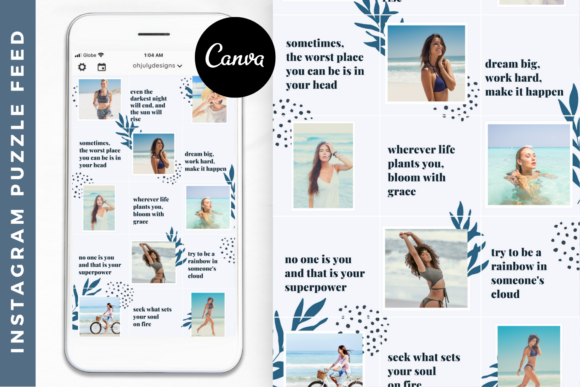
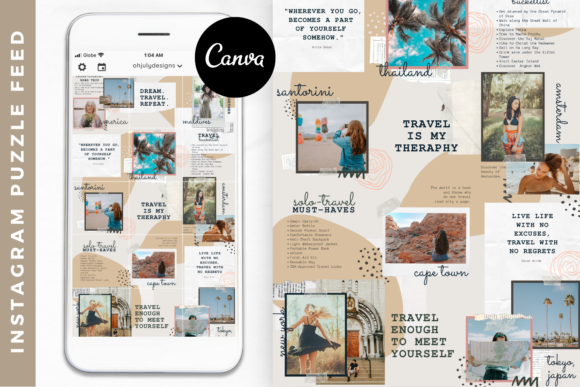
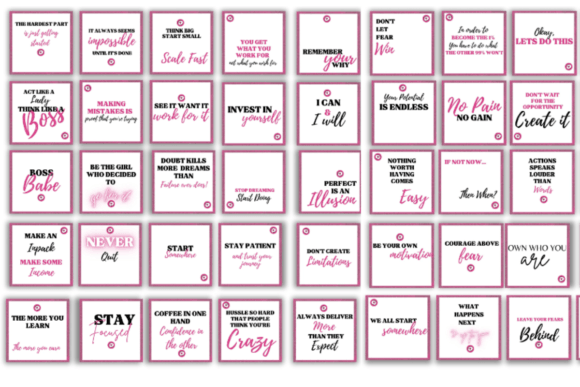
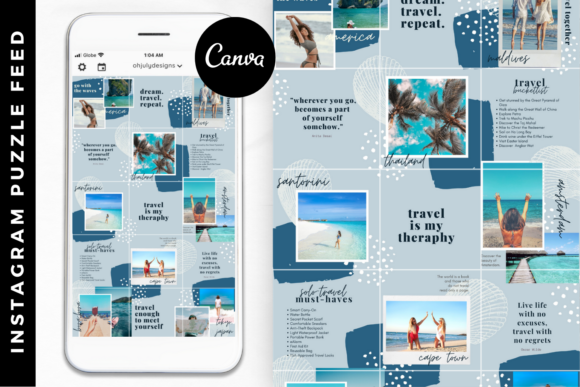
A puzzle feed template is more than just a grid of images; it is a visual strategy. When you look at a profile utilizing a 15-grid layout, you see a unified front. Colors bleed seamlessly from one post to the next, typography aligns perfectly, and the overall visual weight feels balanced. This consistency is crucial for brand identity. When a potential client or follower lands on your page, they make a split-second decision about your professionalism. A curated grid signals that you value quality, organization, and attention to detail.
Consider the "Pearl" style template—a feminine-inspired design that utilizes soft gradients, elegant typography, and airy layouts. This type of modern typography and layout design speaks a specific language. It whispers luxury, calm, and sophistication. For a lifestyle blogger, a coach, or a boutique owner, this visual personality aligns perfectly with their messaging. The visual hierarchy is established not just within a single image, but across the entire 15-post span.
Why Canva is the Ultimate Tool for Social Media Graphics
The beauty of a Puzzle Feed Canva template lies in its democratization of design. You no longer need to be a wizard in Adobe Illustrator to create complex grid systems. Canva acts as the bridge, offering a drag-and-drop interface that handles the heavy lifting of alignment and layering.
However, using a template effectively requires more than just swapping out photos. Here is how to maximize the potential of these design assets:
- Consistency in Imagery: When editing your Instagram Templates, ensure your source photography has a similar lighting profile. A dark, moody photo placed next to a bright, airy one can disrupt the flow of the puzzle, even if the template design is perfect.
- Color Psychology: Use the template’s color palette as a guide. If the brand identity calls for pastels, stick to them. Changing the background color of one tile can throw off the balance of the entire 15-grid view.
- Typography Hierarchy: These templates usually feature a mix of display font styles—perhaps a serif font paired with a clean sans serif font. Respect the hierarchy. Use the bold display type for main headlines and the smaller sans serif for body copy to maintain readability.
Strategic Planning: The 15-Grid Advantage
One of the most practical benefits of using a 15-grid system is the ability to batch your content. Instead of waking up daily wondering what to post, you can plan your content arc weeks in advance. This is a lifesaver for busy entrepreneurs and content creators.
Imagine mapping out a "week of value" where you mix educational carousels with personal branding photos and promotional graphics. By arranging these on the 15-grid canvas in Canva, you can visually balance your content mix. You ensure that you aren't clustering all your sales posts in one corner or your face photos in another. This level of planning influences how the Instagram algorithm perceives your consistency, but more importantly, it influences how your human audience perceives your value.
Practical Application and Customization
When you download a premium Instagram Templates pack, you are buying back time. But to make it truly yours, you need to evaluate the fit for your specific project. Here are a few practical recommendations for customizing your Puzzle Feed Canva template:
- Evaluate the Style: Does the template personality match your voice? A handwritten font style might work for a cozy baker, but a financial consultant might need a structured sans serif font layout. Look at the "bones" of the template—can the fonts be easily swapped?
- Check for Flexibility: A good template allows for "Unlimited use." This means you should be able to reuse the structure with different color schemes or seasonal themes without buying a new pack.
- Test the Flow: Before you export, zoom out. Look at the grid as a whole. Does your eye travel naturally from the top left to the bottom right? Good visual hierarchy guides the viewer’s journey through your content.
- Commercial Licensing: If you are a social media manager or agency, ensure the license allows you to use these assets for client work. Most high-quality templates allow for this, making them a valuable part of your design assets toolkit.
Ultimately, stepping up your Instagram game isn't about chasing every trend; it's about establishing a reliable, beautiful home for your content. By utilizing a Puzzle Feed Canva template, you save creative energy for the things that matter—building your empire, serving your audience, and sharing your unique voice with the world. The grid is your canvas; make it a masterpiece.